Free
Simulate Routine
Runs the routine you have open, scanning top to bottom continuously, the same way a PLC does.
Simulate one routine on Free, a whole program on Pro, or the entire controller on its real task schedule on Max. No controller needed.
Each scope scans the way a Logix controller does.
Runs the routine you have open, scanning top to bottom continuously, the same way a PLC does.
Every scan starts at the Main routine, and every energized JSR runs its routine right there, mid-scan — all sharing one set of tags.
Every task runs its scheduled programs: the continuous task every cycle, each periodic task on its own clock, event tasks when triggered. The closest thing to putting the project in Run mode.
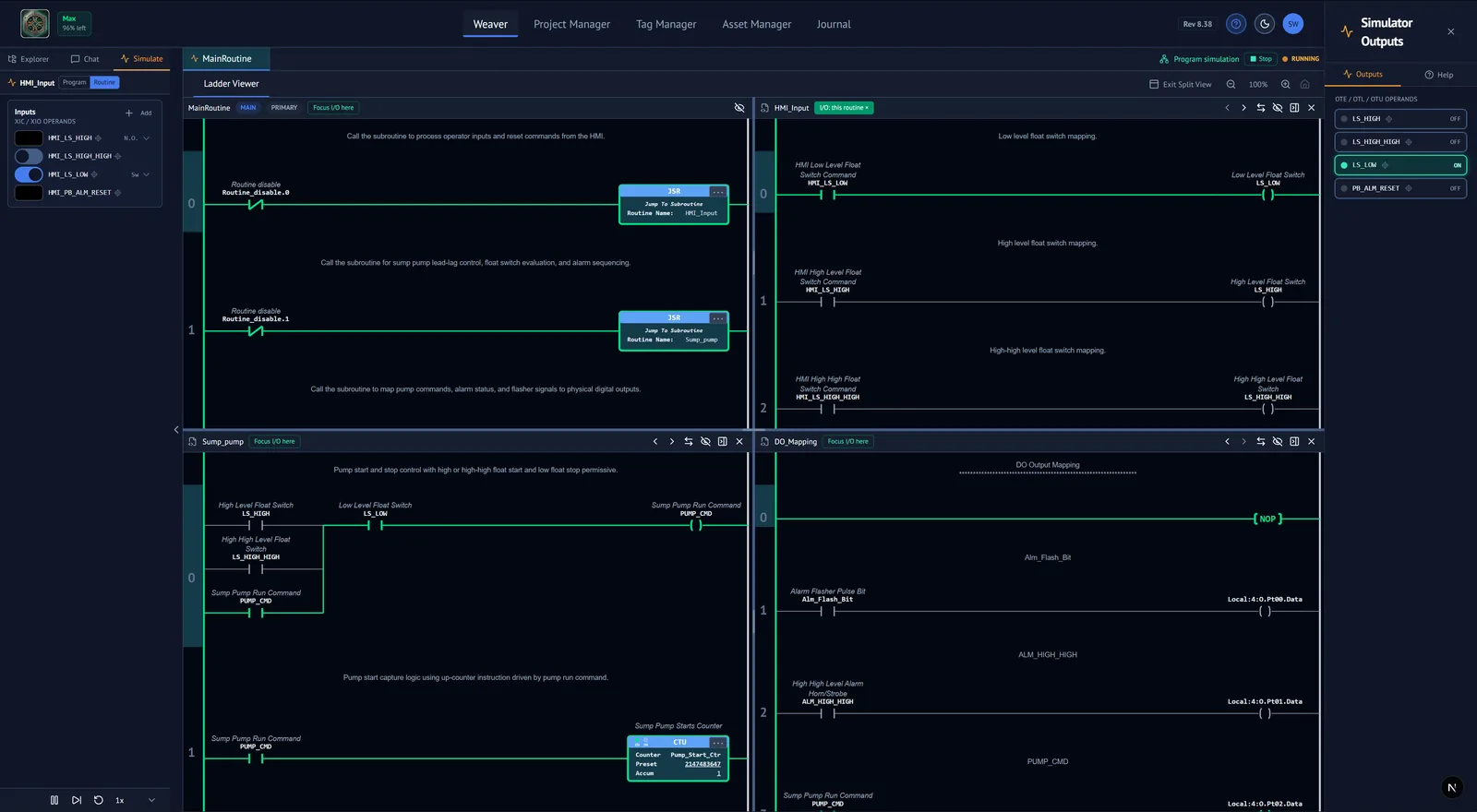
Bit inputs as switches, numeric inputs as fields, and an indicator lamp for every output. Click a lamp to jump to the rung that drives it.
Run continuously, step one scan at a time, slow it down, or reset every tag to its saved value.
Toggle or force bits and numerics right on the rungs, with a Forces panel to see and clear them. Make an input a momentary N.O. or N.C. pushbutton.
Contacts, wires, branches and coils light up the way Studio shows them online, and timers and counters accumulate live.
The Pre-Flight Summary flags logic that passes Studio's checks but won't behave:
With its own tuning, control action, limits and manual mode. Tune it in the PID Setup dialog while it runs.
Switch on a simulated pump and the loop controls a real-feeling process. Turn up the Disturbance knob and watch it recover.
ALMD and ALMA detect their conditions and levels, including minimum durations.
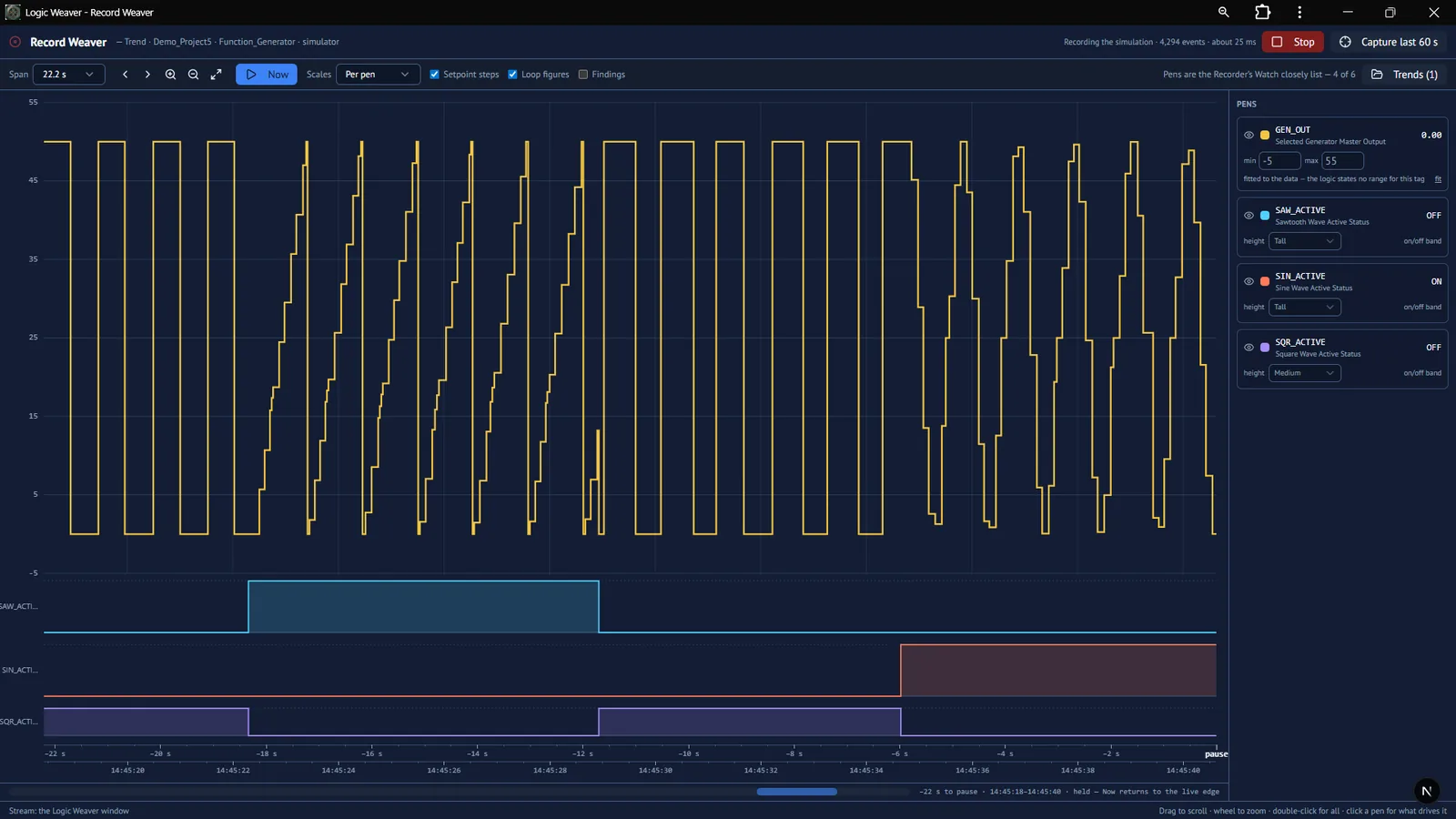
Record tags and watch them in Record Weaver's live trend, with measured loop figures for each setpoint step.
Questions carry the simulation's live values, so you can ask why a rung isn't energizing right now.
Before you see a proposed change, it has been run in the simulator and graded against Behavior checks — plain statements of what it should do.
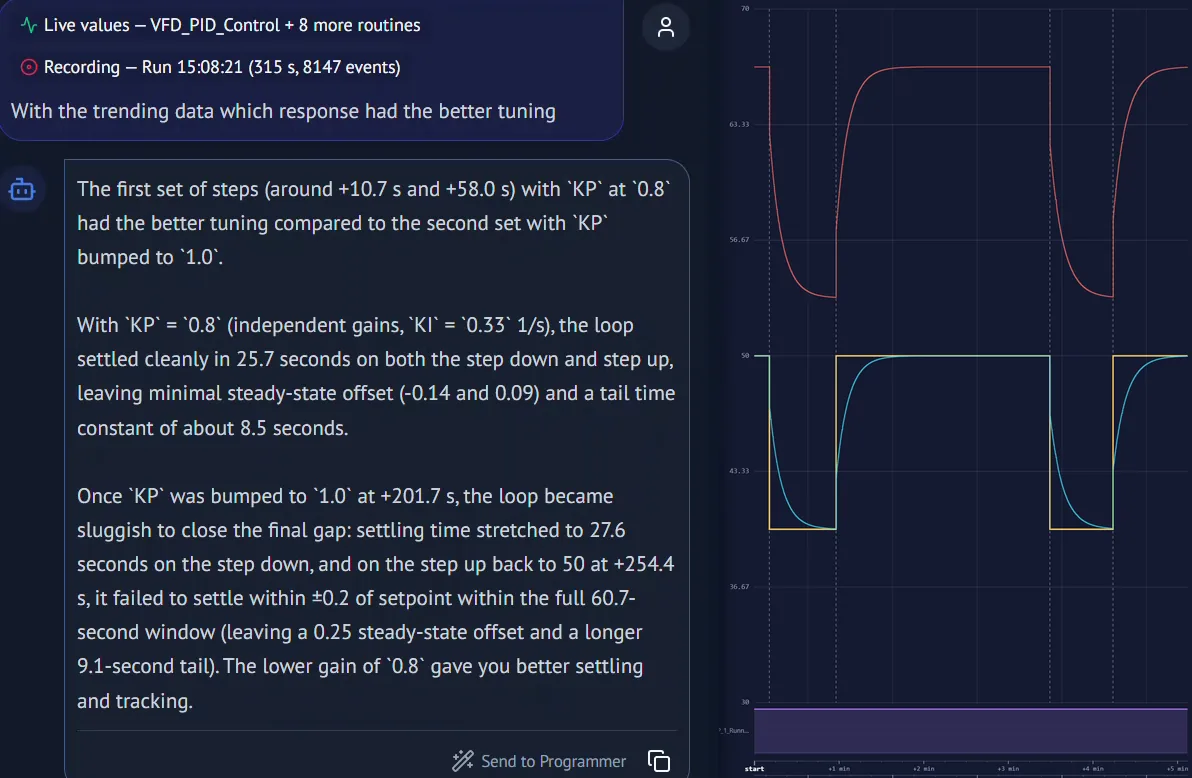
Attach a recording to the chat and ask what happened: which interlock dropped out first, why the pump tripped, or which tuning worked better. Answers quote the measured response — settling time, overshoot, offset.
Contacts and coils, one-shots, timers, counters, compares, math and CPT, move and logical instructions, program control (JSR, JMP/LBL, MCR, TND), PID, ALMD and ALMA, and Add-On Instructions — with their internals visible.
Rungs with an instruction the engine doesn't simulate yet are greyed out and labelled "Out of scope" — never guessed.
Import a routine on the Free plan and put it through its paces today.